
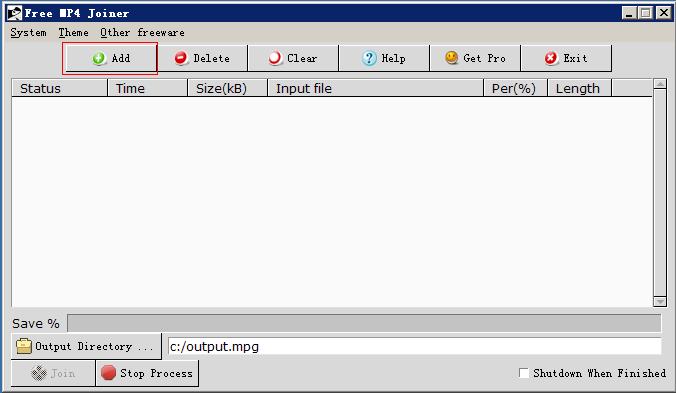
1.Click “add” button to select the video file you want to join.
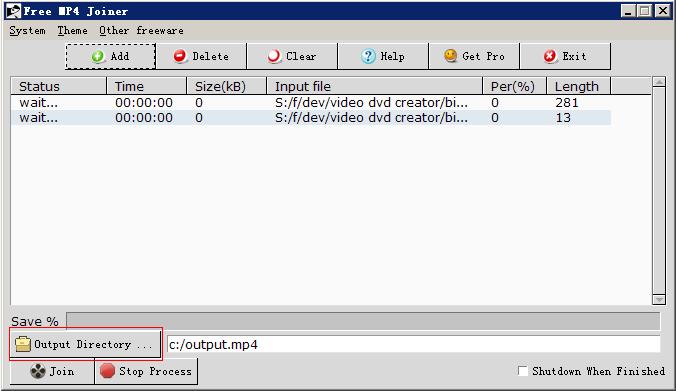
2.Click “Output Directory” button to set output directory. Better select another disk from input disk to get faster join speed.
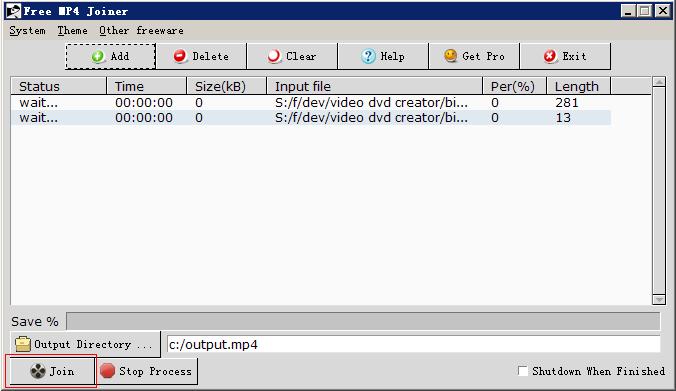
3. Click “Join” button to join, please wait for a long time.
i just tried this the program does join the mp4 files but it loses quality and there is no sound afterwards..
Please update to Ver 2.0.1.
http://freeware.zisun.com/free-mp4-joiner.html
I tried joining two MP4 files, one is 178KB and the other 44KB. It outputs nothing although I get the “Done” dialog box.
Please change your output DIR.
Your 2 file would be same aspect and video quality.
Hi. I left a message about long files for the Video Joiner. I tried the free MP4 joiner, and it could join two 800MB.
I just ran it with four 800MB files, and it quit after 800MB, said it was done but only 800MB copied.
I think the problem is in the Output file path. Things work if I always use the root. Paths do not work well, and using forward slashes instead of reverse slashes is confusing things.
I would fix the bug soon.
The files you want to join would same quality and encoder.
how to change settings in free video joiner
Nice and very useful for edit of two videos…
When I join video files with imbedded subtitles, program fails to include the subtitles in the output.
Please update to v 3.0.3.
I tried to join two mp4 videos of length 4.57GB and 1.99GB . It gives me error like :
can’t read “length”: no such variable
can’t read “length”: no such variable
while executing
“# Compiled — no source code available
error “called a copy of a compiled script””
(procedure “GetLength” line 1)
invoked from within
“# Compiled — no source code available
error “called a copy of a compiled script””
(procedure “btn_Add” line 1)
invoked from within
“btn_Add”
invoked from within
“.wbase.framebut.fra1.but1 invoke ”
invoked from within
“.wbase.framebut.fra1.but1 instate {pressed !disabled} { .wbase.framebut.fra1.but1 state !pressed; .wbase.framebut.fra1.but1 invoke } ”
(command bound to event)
Please try x64 ver, it would file too large.
http://freeware.zisun.com/free-video-joiner.html
CODE WHY CAN,T I COPY AND PASTE CODE IN